 RU
RU ZH
ZH IT
IT ES
ES TR
TR JA
JA PT
PT KO
KO FR
FR DE
DE AR
AR ID
ID
HDR and 1.07 Billion Colors: Improving Image Depth on 65-Inch Touch Displays
Learn More

When an Android touch panel PC is installed as part of a machine, terminal, or smart infrastructure system, connectivity directly affects how easily the device communicates with other hardware. The display itself may look like the main component, but the interfaces determine how it receives video, connects to a network, accesses external storage, and communicates with peripheral devices.
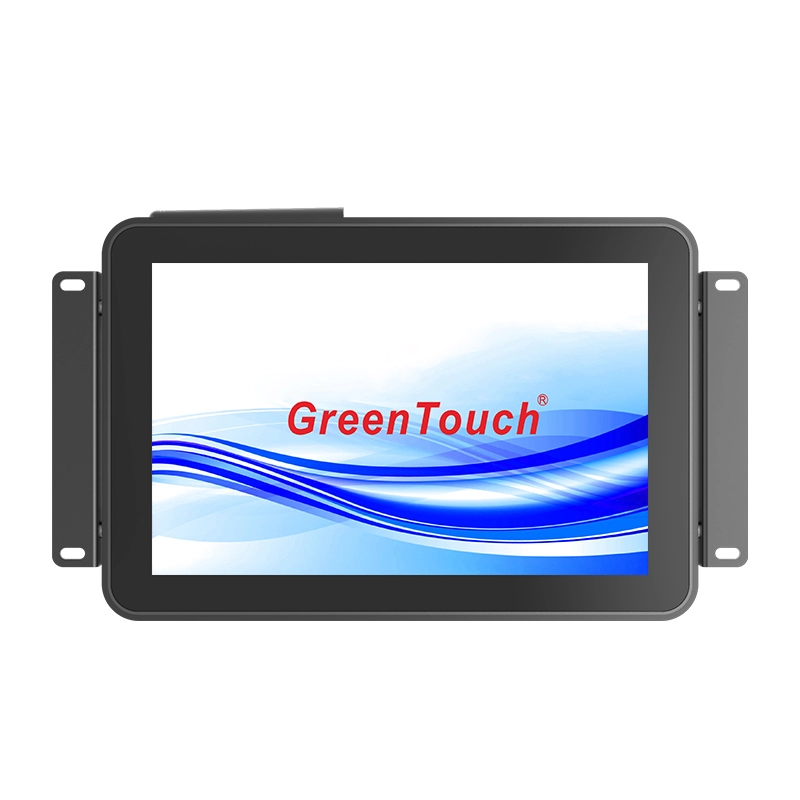
For equipment manufacturers, this means interface selection should be considered together with the processor, memory, storage, touch function, and physical installation requirements. The Open Frame Touch Panel PC 7-55 Inches (2C Series) combines several commonly required interfaces in one Android-based platform, including HDMI, USB, LAN, TF, DC 12V input, power, and audio output. Its connections are positioned on the rear and face downward, which helps simplify cable routing when the panel PC is installed as part of a larger system.
What HDMI Does in an Android Touch Panel PC
HDMI is primarily used when the Android panel PC needs to output or connect with compatible digital display equipment. In the 2C Series, HDMI is provided as the display interface for the Android configuration.
For system integrators, the practical value of HDMI is straightforward: it provides a digital video connection without requiring separate analog display hardware. This can be useful when an application includes an additional display, video equipment, or another compatible digital device.
The role of HDMI also needs to be considered alongside the display size. The 2C Series covers a wide range of screen sizes from compact 7-inch models through larger 32-inch, 43-inch, 50-inch, and 55-inch configurations. Full HD and UHD multi-touch displays are supported across the series, depending on the selected configuration.
This gives equipment designers room to develop different terminal sizes while retaining an Android touch panel PC architecture.
USB Connectivity for Peripheral Devices
USB is generally more concerned with peripheral connectivity than video output. An Android touch panel PC may need to communicate with keyboards, mice, USB storage devices, scanners, or other compatible peripherals depending on the application.
The 2C Series includes USB ports on the rear of the unit. Because these connections face downward, cable installation can be more practical when the panel PC is positioned against a mounting surface or integrated into equipment.
For example, a smart retail terminal may need a USB-connected peripheral, while a logistics workstation may require a scanner or external input device. The actual peripheral compatibility depends on the Android software and hardware configuration, but having USB available as part of the standard interface set gives system designers a familiar connection method.
USB can also be useful during system commissioning and maintenance. Instead of designing a dedicated interface into the equipment for every external device, integrators can use standard USB connectivity where supported by the application.
LAN Provides the Network Connection
For industrial and commercial systems that depend on network communication, LAN is one of the more important interfaces on the panel PC.
The 2C Series includes a high-speed Gigabit Ethernet port. Compared with relying only on wireless communication, a wired Ethernet connection can provide a direct network link for equipment that needs stable communication with a local network or other connected systems.
This is particularly relevant to smart manufacturing and digital workshop environments. An Android touch panel PC can act as an operator-facing interface while communicating with networked equipment or backend systems. In smart logistics and warehousing, the network connection can support the terminal’s communication with the broader information system, subject to the software architecture of the project.
The 2C Series also includes built-in 802.11b/g/n Wi-Fi. Having both wired Gigabit Ethernet and wireless connectivity gives integrators more flexibility when planning the network architecture.
A fixed installation may favor LAN, while a location where running an Ethernet cable is inconvenient may use Wi-Fi. The final choice depends on the site’s network environment, data requirements, and system security policies.